Getting started with Eddy Voice Remote
Eddy connects commands and activities to entertainment equipment on your home network. A useful first setup controls one device reliably, then combines tested actions into an activity. Start with the connection method and the exact commands your equipment supports.
Choose the Bridge generation
The original Eddy Bridge used a Raspberry Pi image and its own local setup interface. Eddy Bridge V2 is a cross-platform agent project for Windows, macOS, Linux and Raspberry Pi. The V2 implementation remains a development preview, so confirm release availability and platform instructions before replacing an existing installation.
For a new setup, prefer the supported outbound agent route over exposing a TV or IR controller with an inbound router rule. The agent opens its cloud connection from inside the home. Local device access and account access still need appropriate protection.
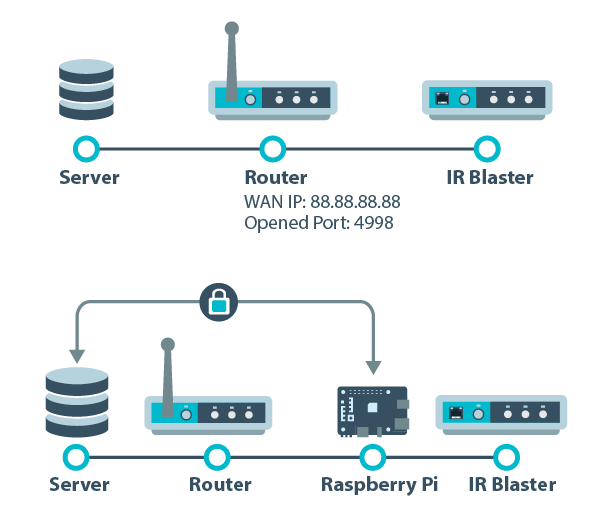
The comparison diagram illustrates the legacy connection choices. For existing systems, read Port Forwarding versus Eddy Bridge. Do not treat the two approaches as identical security choices.
Find the control method for your device
Check the manufacturer’s model documentation for network control, HDMI-CEC or infrared support. A product name alone is not enough to establish power, input or playback behavior.
- Infrared control uses a compatible IR blaster and the correct code for the target.
- HDMI-CEC uses a supported HDMI control path and CEC enabled on the equipment.
- Network control uses the device’s particular protocol, address and permissions.
- Wake on LAN can wake supported equipment when the relevant power and network conditions are met.
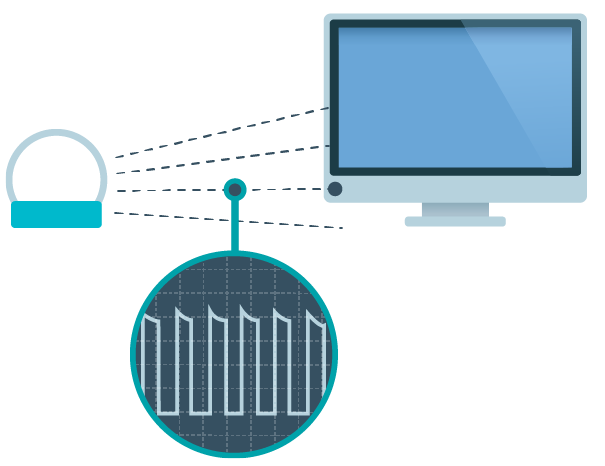
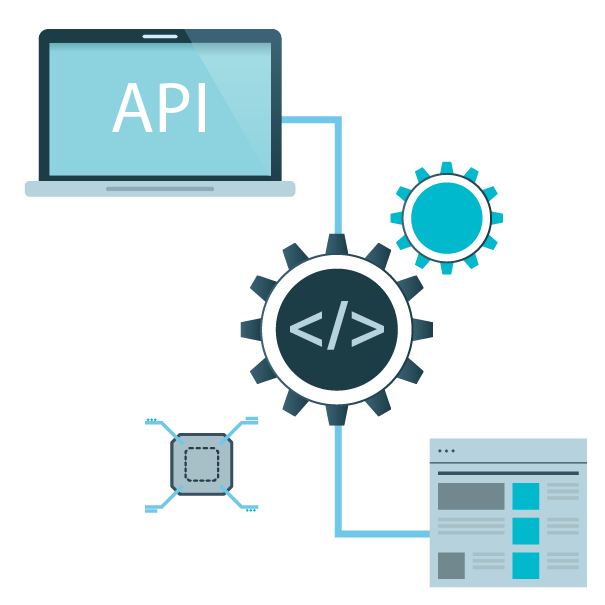
These methods can be combined. For example, one device may accept network commands while awake but require another supported method to wake. Keep each step explicit and test it in the intended starting state.
Set up the local connection
Use the instructions for the generation you installed. The legacy Pi image guide covers that original workflow. V2 cloud pairing uses an account-linking code and depends on the updated website and relay. That code is different from a HomeKit PIN or Matter commissioning code.
Keep the host awake and on a network that can reach the controller. Allow the required local-network access when prompted. Guest-network isolation may prevent discovery even when both devices can browse the web.
Understand the parts of an Eddy setup
A controller is the connection to equipment, a device organizes the controls you want to use, and a button sends a configured command. An activity combines actions into a useful result such as watching a movie. Our controller, device, button and activity guide explains these terms.
The scene artwork illustrates an activity idea. It does not establish current Netflix app-launch compatibility for every television or streaming device.
Add one controller and test one action
Use a model-specific guide where available: Global Caché, TiVo, Chromecast or Broadlink RM. Older screenshots are reference material and may not match the current software.
Test an observable command and confirm the correct physical device responds. Test wake and standby separately. Then test the ordinary controls you want to use.


The icons show the kinds of actions an activity may need. A visible button must still have a working command behind it.
Choose the voice or home platform route
The legacy Alexa explanation and skill comparison cover the original cloud skill model. Confirm the current skill listing and account requirements. A skill connection, local Matter control and Homebridge publishing are different integrations with different available commands.
V2 Matter work currently starts with configured on/off outlets targeting Alexa and Google Home. Homebridge work follows its own Apple Home route and mapping requirements. Do not assume either development integration provides every TV function or has completed physical hub validation.
Build the first activity
Combine only commands that already work individually. Prefer explicit ON, OFF and named inputs when supported. Measure the wait needed for equipment to become ready. Try the activity with everything off and again with the TV already on.
If an activity stops halfway, inspect the equipment before repeating it. Earlier actions may already have happened. Check your account for current trial and subscription terms.
Legacy setup demonstration
This video demonstrates the legacy workflow. Setup time depends on your hardware, network and configuration.