IR blasters and reliable control of entertainment devices
An infrared blaster sends the same kind of control signal an infrared remote uses. A network-connected IR controller receives a command from software such as Eddy and sends an infrared signal toward the TV, receiver or other equipment. It is useful when the equipment has an IR receiver and no suitable direct control integration.
What produces the signal
An IR emitter uses an infrared light source that the device’s receiver can detect. A blaster is designed to send that signal toward a receiver or across an area; the term does not require a particular number of LEDs.

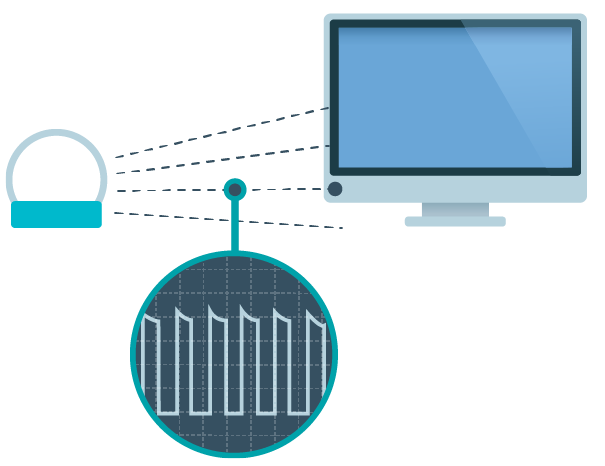
The device has to recognize the code that reaches its receiver. Sending an IR command and confirming the resulting power, input or volume are separate checks.
Check placement before changing software
Place the blaster or emitter where the equipment’s IR receiver can receive it. Reflections may help in some rooms, but they are not a reliable substitute for testing placement. Cabinets, obstacles and the receiver’s location can change the result.
Test a single command from the controller before adding a full activity. If it works only from one position, improve placement first. When using wired emitters, confirm that the configured controller port is the port where that emitter is attached.
Choose the code and its meaning
Use the exact code for the equipment and action you want. A code database or learning function can help, but its presence does not prove a downloaded code will work on every model. Test it on the actual device.
Pay particular attention to power. A toggle reverses the present state; an explicit ON command requests on, and an explicit OFF or standby command requests off. Where the equipment supports discrete commands, those are easier to use in an activity that may run while the TV is already on.
Legacy hardware examples
Legacy product examples. Global Caché IP2IR and Zmote V2 illustrate network IR-controller designs used with the legacy Bridge. Check current availability and exact-model compatibility before buying hardware.
- Global Caché IP2IR

- Zmote V2


The Global Caché example uses a network controller and attached IR outputs. The Global Caché iTach API explains module and connector addressing and model-specific IR behavior. Choose a controller whose network connection, outputs and supported commands match the room.
Before choosing any current product, check its official documentation, availability and support in the Eddy release you plan to use.
Connect it through the right Eddy generation
The Global Caché setup guide describes the legacy Eddy workflow. Confirm its generation and the current controller settings before following the screenshots.
The new Eddy agent design runs commands from a host on your home network and initiates its cloud connection outward. That avoids an inbound router forward to the controller, but it does not add encryption or authentication to the controller’s own LAN protocol. V2 remains a development preview until the supported release and hardware checks are confirmed.
Test the room rather than the icon
Send the smallest command you can observe, such as one input selection. Confirm the intended equipment responds once. Then test power from standby and from the already-on state if the device supports explicit power commands. Keep a working original remote nearby while testing.
After a timeout, look at the device before repeating the request. One-way IR control may not return a physical-state confirmation. A successful software send is useful evidence, but the picture, sound and actual power state determine whether the setup is ready for an activity.