Port forwarding and safer Eddy connections
Port forwarding directs an incoming connection from the internet to a device inside your home. It was one way to connect Eddy’s legacy cloud service to a local controller. For a new Eddy installation, prefer the outbound agent route when the supported release for your setup is available.
The Eddy Bridge V2 project is currently a development preview. Its agent opens an encrypted connection from inside the home and uses that connection for Eddy requests and results. This removes the need to expose a TV or IR controller through an inbound router rule. Confirm release availability before changing a working system.
What a forwarding rule changes
A home router normally blocks unsolicited inbound traffic according to its firewall policy. A forwarding rule makes a specific exception, matching an external port and protocol and directing that traffic to an internal address and service. It does not open every port, and a router does not simply block all network traffic.
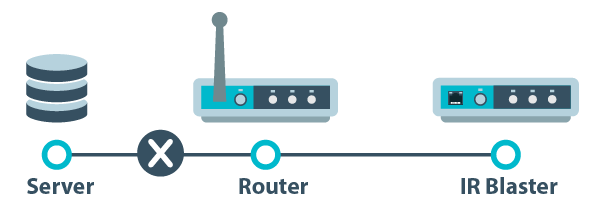
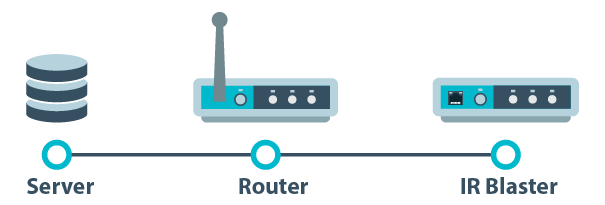
Some routers can also restrict the permitted source addresses. For example, UniFi’s From setting can limit incoming traffic to specified IP addresses. The available controls and automatically created firewall rules vary by model and software version. Follow the documentation for your router rather than copying a screenshot from another model. UniFi explains the fields in a port-forwarding rule.
What determines the risk
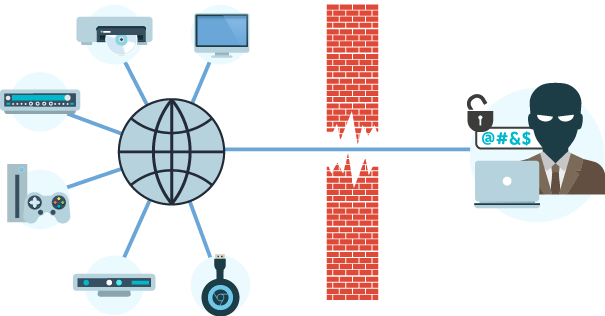
Forwarding creates a reachable path to a service. The risk depends on what the service allows, how it authenticates callers, whether communication is encrypted, and whether the software is maintained. A local device API that accepts unauthenticated power commands should not be treated like an authenticated remote-access service.
Restricting source IP addresses can reduce who can connect, but it does not add a password or encryption to the underlying protocol. Changing the external port number also does not authenticate a caller. An absence of past problems is not evidence that an exposed service is safe.
When the agent is a better fit
The agent lets Eddy reach configured equipment locally while the agent maintains its outbound cloud connection. You still need to protect the Eddy account, keep the host updated and enable only the integrations you use. The encrypted cloud connection does not make every local device protocol encrypted.
For local discovery, keep the agent and controller on a network that allows their communication. A missing scan result is not a reason to forward a public port. Guest Wi-Fi isolation, network permissions and multicast filtering are separate local-network issues.
If an inbound exception is still necessary
- Identify the exact device and service that need incoming access.
- Confirm that the service has suitable authentication, encryption and current software.
- Limit the destination, port, protocol and permitted source as tightly as your router allows.
- Keep a record of who maintains the rule and when it can be removed.
- Test that intended access works and that an unapproved external source is blocked.
Do not guess an Eddy server address or permit an entire cloud provider range. Use only a source IP list supplied by the service for that purpose; if none is available, do not guess one. Carrier-grade NAT or a second router can also prevent a forward from working; opening more ports is not a reliable fix.
Retire rules after a tested migration
Once the intended commands work through the agent, remove the obsolete forwarding rule and related automatic mappings. Check IPv4 and IPv6 firewall policy separately. Verify the old device-control service from an external network you control; a failed ping does not prove its control port is closed.
Read the Eddy Bridge overview for the local connection model. The legacy forwarding guide remains background for existing installations, rather than the recommended starting point for a new agent setup.