Matter vs Homebridge for Eddy and your smart home
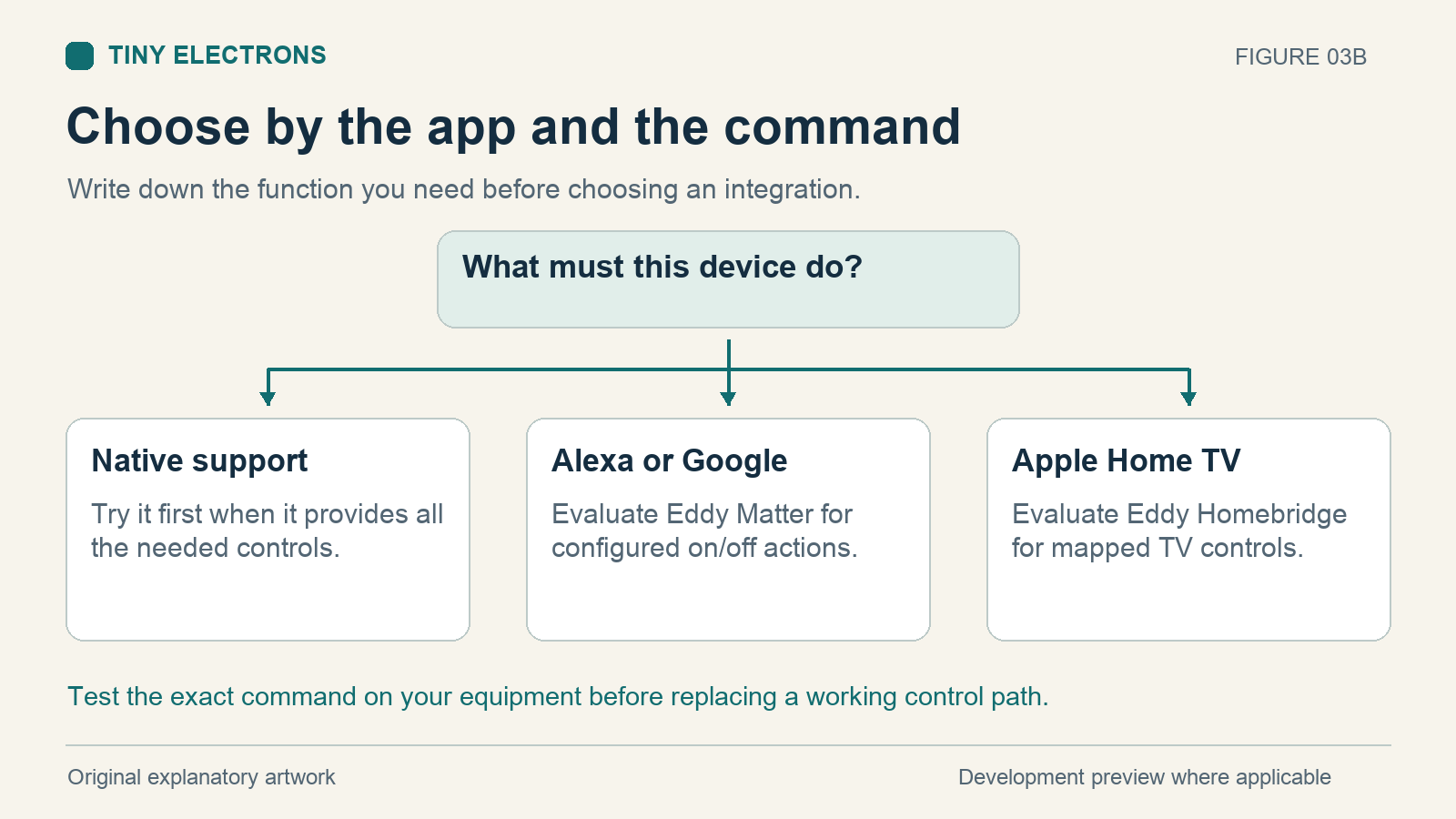
Choose a connection by the commands you need in the app you use. Eddy’s Matter development integration is aimed at on/off control in Alexa and Google Home. The Eddy Homebridge plugin under development maps configured television controls into Apple Home. Both need testing with the equipment they will control.
You can also use Homebridge and Matter together. Matter is a communication standard; Homebridge is software that connects devices through plugins. The Homebridge 2 release added Matter support. A comparison that treats them as mutually exclusive would miss that option.
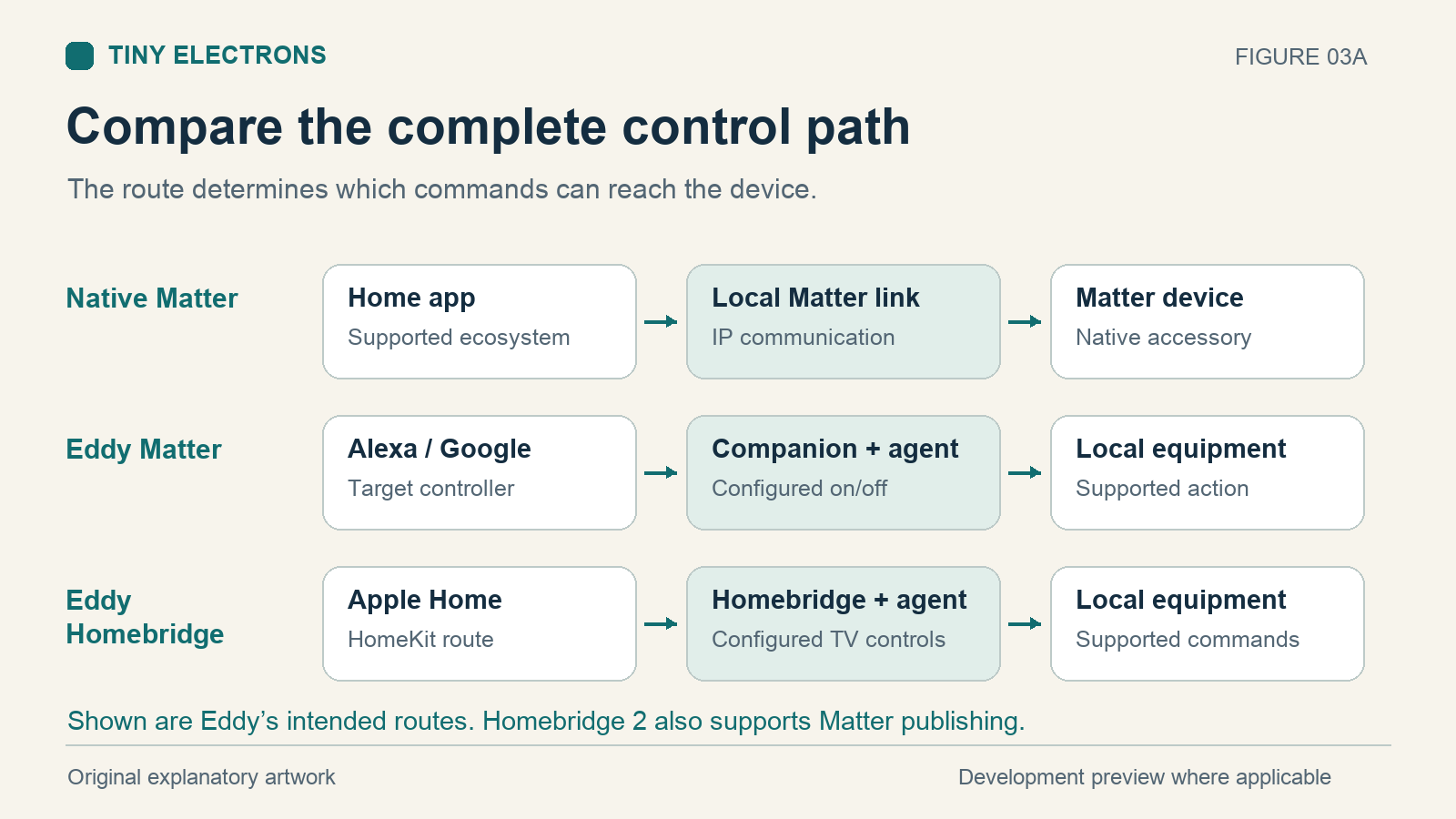
What each one does
Matter gives smart-home products a shared way to communicate over IP networking. Its network options include Wi-Fi, Ethernet, and Thread. Thread is one possible network technology; a Matter connection does not automatically require a Thread network. Matter also supports bridges that connect equipment using other protocols. The Connectivity Standards Alliance explains these roles.
Homebridge runs on a computer in your home. Its plugins connect to equipment that would otherwise lack the integration you want. Its established HomeKit path makes supported accessories available in Apple Home.
The project’s newer transport documentation describes both HomeKit and Matter publishing, including bridging HomeKit accessories to Matter. Check the documentation for the version you install. Available functions depend on the accessory mapping, plugin behavior, and receiving platform; a Matter setting does not establish that every television button will appear in every app.
Compare the current Eddy development paths
This table describes the controls in the current Eddy source. It does not establish a public release, successful hub pairing, or compatibility with a particular television.
| Question | Eddy Matter companion | Eddy Homebridge plugin |
|---|---|---|
| Intended app path | Alexa and Google Home | Apple Home through HomeKit |
| Accessory model | On/off outlet | Configured television, outlet, or switch |
| TV commands mapped | On/off actions | Power, inputs, remote keys, volume, and mute |
| Power state | Optional device observation; otherwise last successful command | Requires a supported device observation |
| Software running at home | Eddy agent and Matter companion | Eddy agent, Homebridge, and Eddy plugin |
| Checks still needed | Hub pairing and physical device behavior | Dependency compatibility, pairing, and physical device behavior |
An Eddy Matter outlet can be named Living Room TV, but its current controls remain on/off. Volume, input selection, channels, and app launching are outside that accessory model. Google’s device support table shows why it helps to check both device type and available control surface.
The Homebridge plugin maps more television functions in the current code. Each function still needs a working Eddy command behind it. A volume control in an app cannot make an unsupported device accept a volume command. Homebridge’s broader Matter capability also does not prove that Eddy’s television mapping will transfer completely to another ecosystem.
Choose a route for one television
Start by checking the TV’s existing integration. If it already provides the power, input, and volume controls your household uses, test those before adding another bridge. Each extra process needs to stay running.
Suppose the TV accepts HDMI-CEC power commands and your goal is Alexa, turn off Living Room TV. Eddy’s Matter development path is one to evaluate. It needs compatible CEC hardware and a supported Matter controller for that ecosystem. An HDMI socket alone does not establish CEC support. The Eddy Matter preview explains this setup and its limits.
If your household uses Apple Home and wants television input selection and remote buttons, evaluate the Homebridge plugin’s television mapping. Its current package requires Homebridge 2.4.0 or a compatible later 2.x release. Check the official Homebridge releases for a compatible released version before installing the development plugin. Keep your working integration during evaluation.
Understand the local connection
Eddy’s Matter companion can run without an Eddy cloud connection. The Homebridge plugin also connects to Eddy locally on the host. Voice processing, remote access, and individual device integrations may have separate internet dependencies, so test the functions you expect to keep using during an outage.
The older cloud route described in How Does Eddy Work with Alexa uses a different path. Give the Matter accessory and the existing Alexa skill device distinct names during evaluation so you can tell which integration handled a command.
Run five checks before switching
For one TV, try power on, power off, a second ON while already on, a change with the original remote, and a bridge restart. Confirm the visible result each time. For the Homebridge television mapping, also test one named input and one volume step.
Watch what happens after the original remote changes power. A configured observation can follow the device; a remembered command may stay out of date. Neither an ON icon nor a power observation proves the TV has selected the correct input or produced sound.
Eddy’s Matter companion currently uses development device identity and still needs physical hub validation. Apple Home is outside that companion’s present target scope. Choose one command to evaluate first, record what happened, and expand only after that command works consistently with your equipment.