Build a reliable Watch TV activity with Eddy
A Watch TV activity should bring the room to the same useful state when the television is off or already on. Use commands that name the result you want, put them in an order your equipment can handle, and check the room before treating an app icon as proof.
Consider a TV, receiver, and streaming player. The activity needs to wake the equipment and select the streaming input. A slow receiver or a change made with the original remote can affect that sequence. Build and test for those ordinary situations from the start.
This guide assumes you already have working individual commands in Eddy for your equipment. The controller and activity guide explains the basic concepts. The sequence below is a planning example, not a new configuration screen or a command file you can paste into an installer.
Check the commands before combining them
First confirm that the TV and receiver have explicit ON and standby or OFF commands. A power toggle changes the current state. Sending it when the TV is already on turns the TV off.
An explicit ON command requests a particular result. When a device implements it correctly, sending ON to an already-on device preserves the intended power state. Selecting a named input has a similar advantage over pressing Next Input several times.
| Starting TV state | Send a power toggle | Send explicit ON |
|---|---|---|
| TV is off | TV turns on | TV turns on |
| TV is on | TV turns off | TV stays on |
| State is unknown | Outcome depends on starting state | Requested result is on |
Test these behaviors separately on your equipment. Some remotes provide only a toggle, and some control paths cannot send discrete power commands. If so, check the other supported control methods for your exact model before assuming an activity can reliably correct the state.
Plan a short action sequence
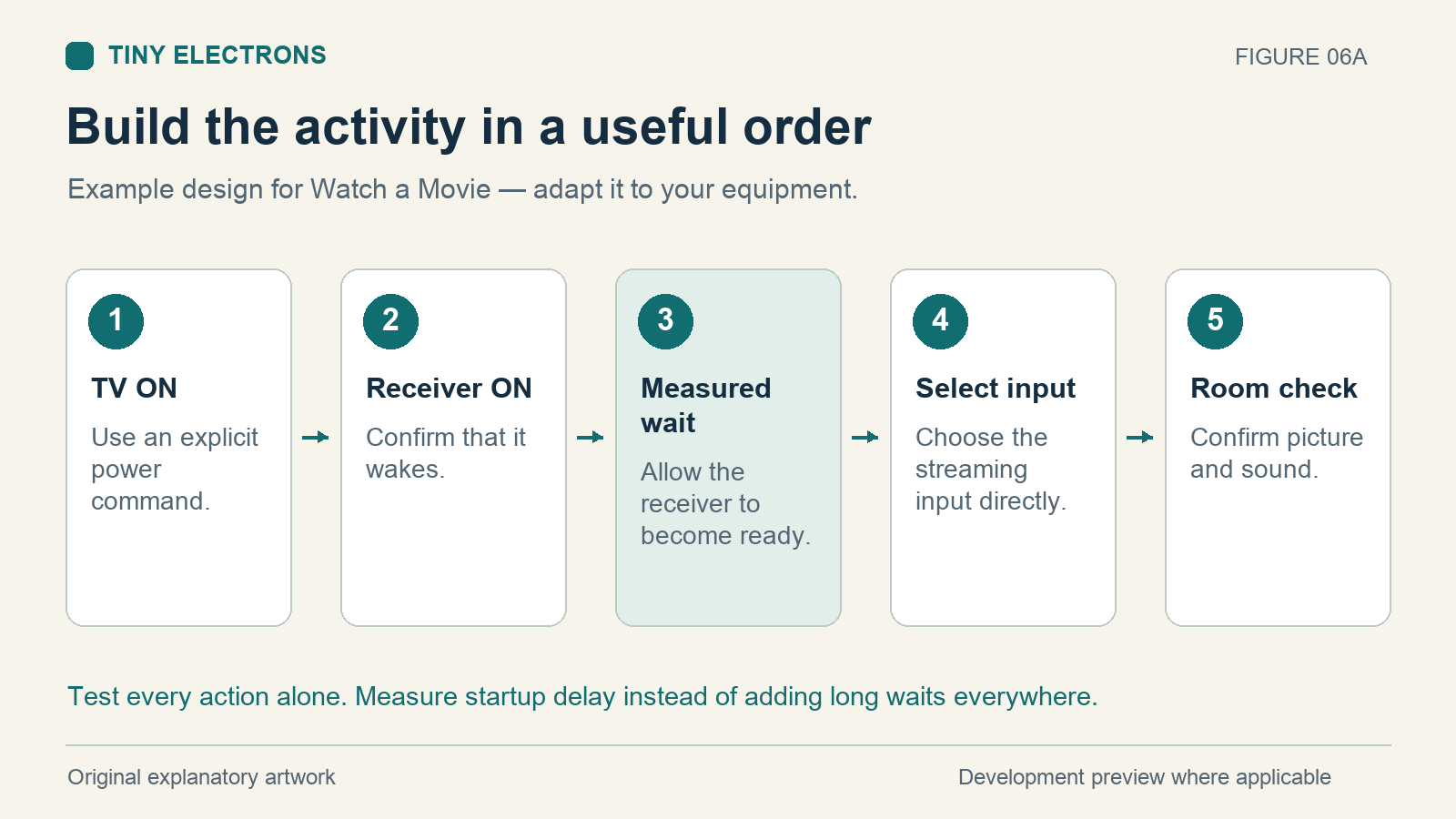
Write down the steps before combining them. This sample assumes the streaming player is already available, the required inputs are known, and both TV and receiver commands have passed individual tests.
| Order | Planned action | What to establish first |
|---|---|---|
| 1 | Send explicit TV ON | TV accepts the command from standby |
| 2 | Send explicit receiver ON | Receiver accepts the command from standby |
| 3 | Wait for receiver readiness | Measure its wake time on your equipment |
| 4 | Select the receiver input directly | Named input command works on its own |
| 5 | Select the TV input if needed | Check whether HDMI-CEC already selects it |
Measure readiness over several starts, including a start after a longer period in standby. For example, if your own tests establish that the receiver needs two seconds, that finding can guide the wait before input selection. Two seconds is an illustration, not a timing result for your receiver.
The order may also need to change. Some equipment switches inputs when another device wakes. Change the step that causes the problem instead of adding long waits throughout the activity.
Know what the app is reporting
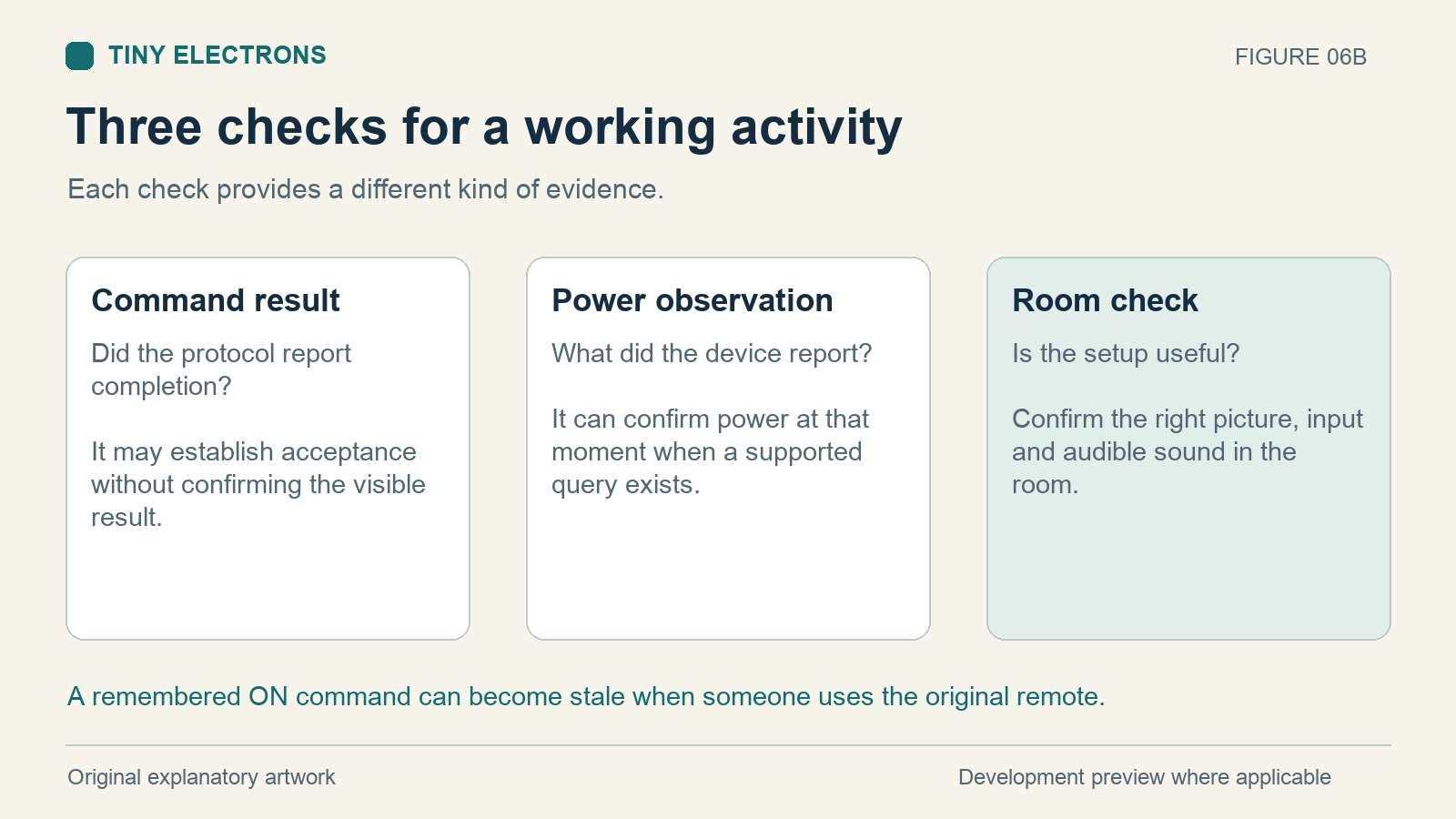
A device observation reports what equipment said when queried. A remembered command records what the integration last asked it to do. If someone turns the TV off with its remote, a remembered ON value may stay out of date.
The Eddy Matter development preview describes both cases. With a supported power-status query configured, current code refreshes the observation and marks the endpoint unreachable when observation fails. Without that query, its on/off value follows the last successful command. The Eddy Homebridge plugin under development requires a supported observation and reports unavailability when it cannot obtain one.
Try changing power with the original remote, allow the observation interval to pass, and check the app. This is a test for your setup, not evidence that every TV supports reliable readback. An observed power value still does not confirm the selected input or audible sound.
Account for partial completion
An ordered activity can stop after some actions have happened. The TV might turn on before the receiver command fails. Eddy does not undo those earlier physical actions automatically.
Keep the initial sequence short enough to identify the completed steps. After a timeout, check the room before sending the whole sequence again. Repeating a toggle, volume increase, or playback command can create another change. The troubleshooting guide explains how to narrow down a failed command.
Give Stop Watching its own intended result, such as TV standby and receiver standby. Reusing the startup sequence’s power toggles can leave equipment in the wrong state.
Test the activity from different starting states
Try everything off, TV already on, and receiver on the wrong input. Then make a change with the original remote and run the activity again. Restart the agent and repeat a normal start once it is ready.
For each attempt, record the starting state, command result, and visible outcome. A useful test row might say TV already on / ON accepted / TV stayed on and selected streaming input. That is an example of what to record, not a reported test result.
Begin with the first three starting states and fix any inconsistent step. Add lighting or volume presets after the basic activity consistently produces the right picture, input, and sound.