Troubleshoot Eddy Bridge V2 without repeating commands
When an Eddy command fails, check where it stopped before sending it again. An offline agent, a blocked local connection, and a device that acted without returning a response need different fixes. Repeating a power toggle or an entire activity can make the result harder to understand.
This guide covers the diagnostics in the V2 development workflow. The updated agent and website must be deployed and diagnostics enabled for the account view to contain uploaded records.
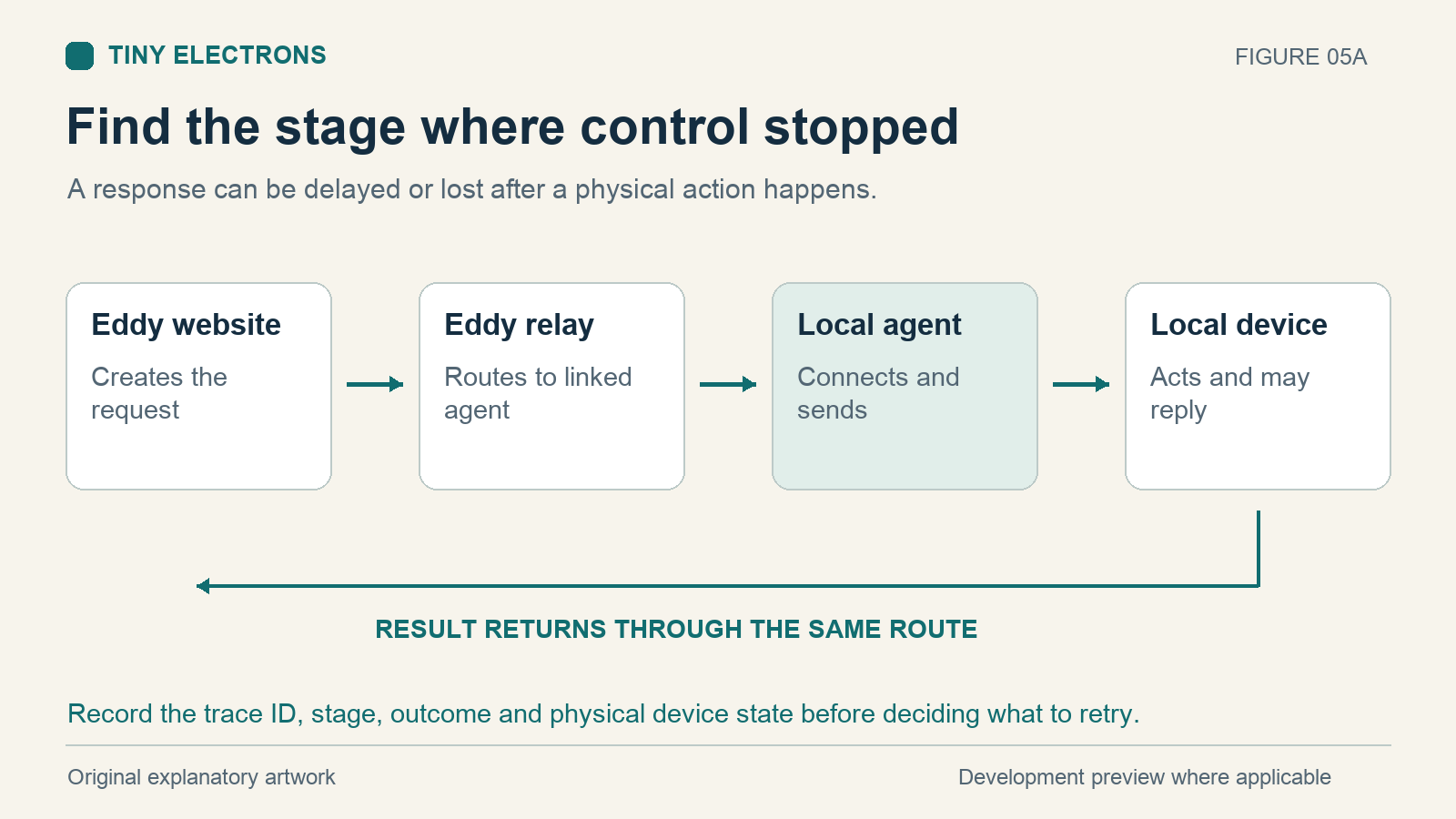
Check what happened in the room
Look at the actual device first. Is the TV on? Did the receiver change inputs? Did the volume move once?
A timeout means Eddy did not obtain a completed result within the allowed time. It does not always mean the device ignored the command. The action may have happened while its response was delayed or lost.
For a multi-step activity, write down which devices changed. Earlier steps may have completed before a later step failed. That matters when deciding whether to retry one action or the whole sequence.
Check the agent connection
Open the Eddy Agent status menu on the computer running it. In the current tray design, green indicates an online cloud connection or a separately labeled local control mode. Amber indicates connecting or reconnecting; red indicates offline; gray indicates stopped or not paired. Read the label as well as the color.
If the agent is stopped, start it. If the computer is asleep or disconnected, restore its normal network connection. When the agent is reconnecting, wait for its status to settle before sending another command.
Closing the tray icon with Quit tray does not stop the background agent. Use the explicit stop or start control when you intend to change the running agent. If cloud pairing is missing, return to setup rather than changing a device’s address to fix an account connection.
Open the trace for the failed request
In the V2 diagnostics page, Traces and errors, select the bridge and a received-time range covering your attempt. Start with Errors and uncertain outcomes. If nothing appears, expand the time window or use All events.
A trace ID groups events belonging to a request. Open it to see the recorded stage, outcome, error category, and elapsed time. Times are shown in UTC, so compare them with your local time carefully.
Records can upload after the connection returns. An empty list does not prove the bridge is healthy, and a temporary diagnostics-page failure does not prove the entertainment device failed. Local-only Matter control also does not provide the same account-upload path as a paired cloud installation.
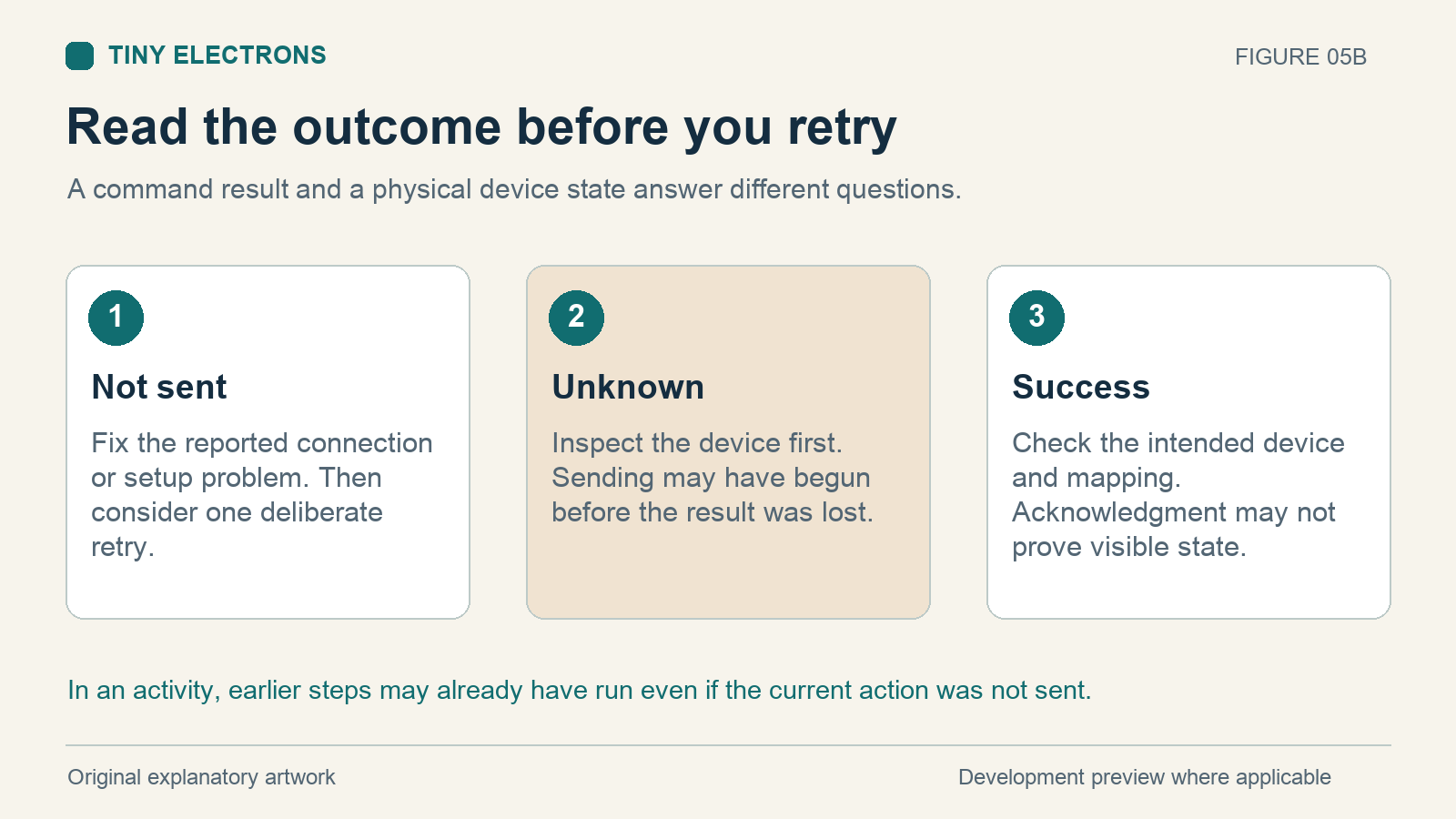
Read the outcome before retrying
| Recorded outcome | What it tells you | Useful next step |
|---|---|---|
| Not sent | That action was not sent successfully from the recorded stage | Fix the listed connection or setup problem, then consider one deliberate retry |
| Unknown | Sending may have begun and the physical result is uncertain | Inspect the device before sending anything else |
| Success | The command completed according to its protocol result | Check whether the device and command mapping matched your intention |
A successful send does not always prove the visible state changed. Some device protocols acknowledge a command without reporting the TV’s actual power or input. A configured power-status query can provide separate evidence when the device supports it.
Use the error category to narrow the problem
A connection-refused result points you toward the device’s address, port, or network-control service. A connection timeout or unreachable result calls for checking power, network membership, and local access. A device error calls for reviewing the command and the device’s supported control method.
For HDMI-CEC, confirm the TV has CEC enabled and that the agent has compatible CEC hardware. An HDMI connector alone does not establish CEC support. The libCEC project describes the hardware and library used for that path. Treat network control and CEC as separate routes when checking what failed.
For example, suppose a TV turns on but the activity reports an unknown outcome on its next command. Check the TV and receiver before continuing. Once you know their state, test the failed action by itself. Prefer an explicit On or Off command when available; a toggle would reverse whichever state the device currently has.
Work through one example
Consider this fictional troubleshooting record. It illustrates the reasoning; it is not a trace captured from a tested installation.
| Activity step | Recorded result | Observation in the room | Next decision |
|---|---|---|---|
| TV ON | Success | TV is on | Keep the completed action |
| Receiver input | Unknown after a timeout | Receiver is still on the old input | Check its control connection and test this input command alone |
If you had pressed the whole activity again, you would have repeated the TV action even though it was already complete. Explicit ON would ask for the same state again; a toggle could turn it off. After correcting the receiver connection, repeat only the smallest action whose result you can observe.
If a record says Failure, read its stage and error category as well. That broad outcome alone does not establish whether an earlier device action occurred. The trace and your observation together provide a more useful basis for deciding what to do.
Keep enough detail for the next check
If the problem continues, save the bridge name, agent version, trace ID, approximate attempt time with time zone, device model, and what physically happened. Keep private pairing codes and credentials out of anything you share.
Make one change at a time, then test the smallest useful command. This makes the next trace easier to compare and helps you find the actual cause without repeatedly restarting a working part of the setup.