Eddy Bridge V2 brings a cross platform agent to your smart home
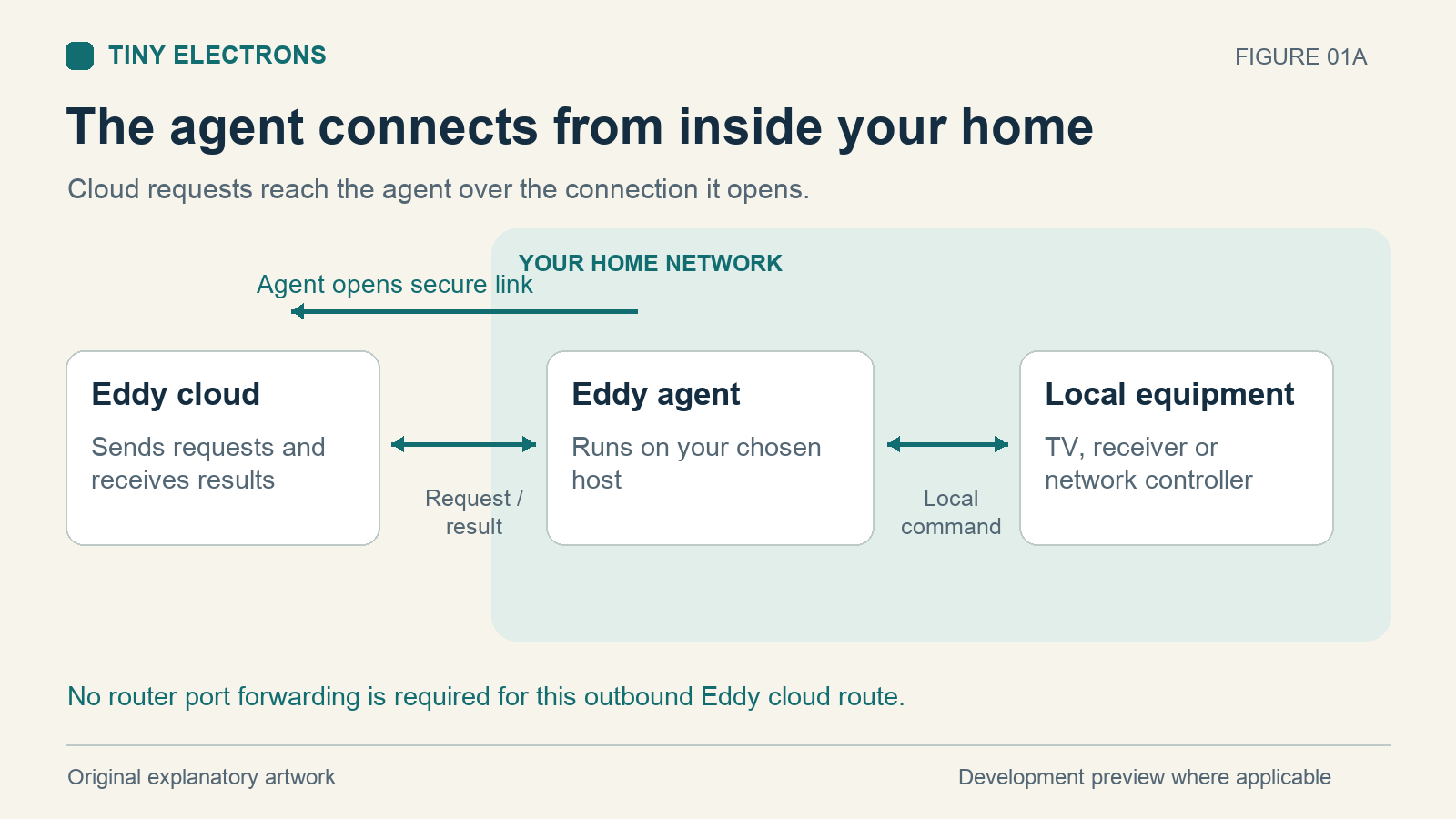
Eddy Bridge V2 is our new agent for connecting Eddy to devices on your home network. The project targets Windows, macOS, Linux and Raspberry Pi, giving you more choices about where that connection runs. The agent initiates its cloud connection from inside your home, so you do not need to forward a router port to your TV or controller.
This is a development preview. The implementation and installer work described here do not establish a public release or compatibility with every device.
What the agent does
Think of the agent as the part of Eddy that can reach your local equipment. Eddy sends a request to the linked agent. The agent translates that request into the configured local command and returns a result.
The current implementation includes HTTP and TCP commands, Wake on LAN, local MQTT publishing and adapters for equipment such as Roku, TiVo, Global Caché, Broadlink and Chromecast. HDMI CEC and Android control use compatible helpers and hardware. A named adapter is a starting point for testing your model, rather than a guarantee that every feature will work.
For example, a Global Caché controller still sends the final infrared signal to the equipment. Moving the Eddy software onto a Mac does not remove the need for the IR controller, its emitter placement or the right command codes. The agent changes where the software runs; each device still needs a working control method.
The original Eddy Bridge article describes the same basic purpose. V2 changes the client software and broadens the platform choices.
Where to run it
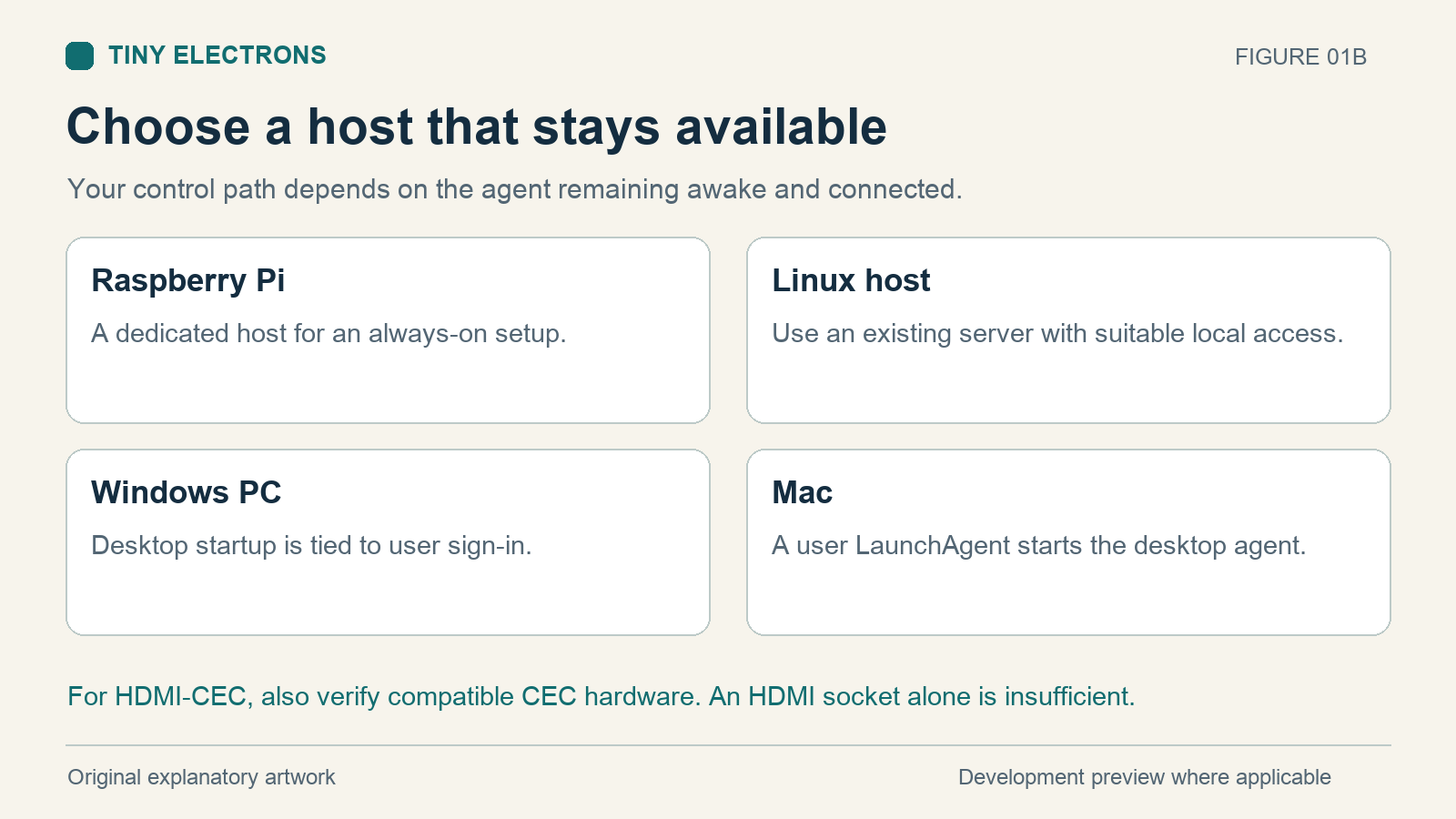
A Raspberry Pi makes sense when you want a dedicated machine that stays on. A Windows PC or Mac can be convenient if it is already running near your equipment. General Linux builds give more options for existing home servers.
| Host | A useful fit | Check before choosing |
|---|---|---|
| Windows PC | A computer already available in the room | The installed agent starts at user sign in and needs the PC awake |
| Mac | An existing Mac that stays connected | User sign in startup and permission to reach the local network |
| Raspberry Pi | A dedicated controller that can start at boot | Match the package to the OS architecture and confirm CEC hardware |
| Other Linux host | A home server you already maintain | Build and service setup for that machine and its device helpers |
Cross compiled builds and packaged installers are different levels of evidence. A successful build for a processor does not establish that its installer, local network permissions or physical device control have been tested there. In particular, do not treat an older Pi build target as proof that the current CEC installer supports the original Pi Zero.
The host must remain awake and connected for its agent to control your devices. Putting a laptop to sleep interrupts that path. Desktop startup also depends on signing into the user account, while Pi and Linux service setups can start at boot.
An HDMI connector does not prove that a computer can send CEC commands. Check for supported onboard CEC hardware or a compatible USB CEC adapter before planning to use that route. The libCEC project documents the library and supported hardware families.
Linking it to Eddy
The setup flow can generate a short pairing code. Sign into Eddy, open its agent pairing page and use that code to link the agent to a bridge you own. This cloud flow depends on the corresponding website and relay updates being deployed together.
Once linked, find a controller and test one harmless command before building a complete activity. The controller and device guide explains how these pieces fit together.
An online agent confirms its connection to Eddy. It does not prove that a TV accepted a command. Look for both a successful command result and the expected response from the equipment. If the result is uncertain, inspect the device before repeating a power or volume action.
The desktop tray icon is a convenient way to check status and open setup. Closing the tray icon alone does not stop the background agent. That distinction matters if you are troubleshooting a connection or trying to stop control temporarily.
Why the agent is our preferred connection
The agent connects outward to the Eddy relay over an encrypted connection and authenticates with credentials assigned to that agent. You can keep unsolicited inbound access to the home blocked and avoid publishing a TV or IR controller directly to the internet.
That protects the relay connection. A local device may still use an unencrypted protocol, and someone with access to your home network may be able to reach it directly. Keep the host updated, protect your Eddy account and allow device communication only where it is needed. The outbound design removes the port forward; it does not change the security features built into the TV.
Local control and cloud control
Optional Matter and Homebridge work provide local paths to the same command executor. They have their own setup and compatibility requirements. Matter currently maps on and off actions; it does not expose a complete television remote.
Local control can avoid the Eddy cloud path for configured local actions. Remote access and voice behavior still depend on the ecosystem you use. Do not assume every command will work during an internet outage.
Start with one device
For your first V2 test, use this sequence:
- Choose a host that will stay awake and connected when you need control.
- Confirm that the package and device helper match the host and hardware.
- Link the agent after the matching Eddy website and relay updates are available.
- Add one controller and test a simple command while watching the equipment.
- Test explicit on and off separately, then restart the host and check that control returns as expected.
Once that works, build an activity around the commands you have verified. Keep your existing bridge configuration until you have checked the controls you use every day on the new host.