Modern port forwarding rules and why Eddy Agent is the better default
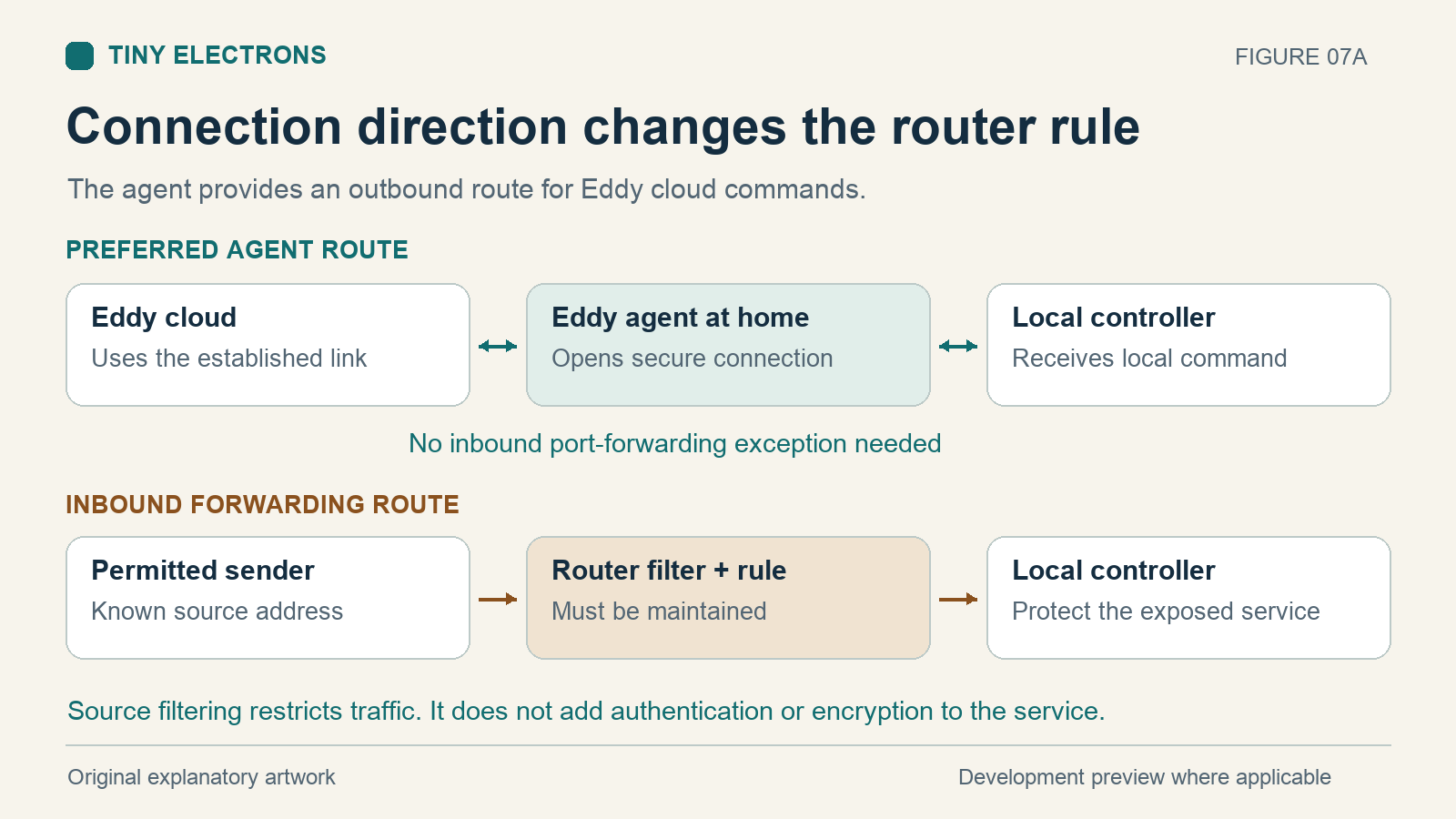
Use the new agent for a new Eddy setup. It avoids opening a public port to your TV or IR controller. Modern routers offer source address filters and firewall rules, but an inbound path still needs carefully maintained restrictions.
The agent starts its encrypted cloud connection from inside your home. Eddy sends commands through that established connection, and the agent reaches the configured equipment locally. No inbound home port forward is required. That encryption protects the cloud connection; a local device protocol may still be unencrypted. V2 is a development preview, so confirm availability before replacing a working installation.
What modern router filters can do
A port forward sends traffic arriving at a public port to a particular device and port inside your network. A source IP allowlist narrows that access to traffic originating from specified public addresses. For example, UniFi offers a From setting for choosing particular source addresses, alongside the destination address, port and protocol. Check your router model and software version before following its instructions. UniFi port forwarding documentation.
A firewall can restrict traffic between network zones. Allow only the required service and block other unsolicited inbound access. Check automatically generated allow rules as well; the combined rules determine what is reachable. UniFi firewall documentation.
Those controls can reduce exposure. They do not add a password to an unauthenticated device command, encrypt a plain HTTP or TCP connection, or establish that the permitted sender is trustworthy. Ubiquiti likewise distinguishes encrypted VPN access from direct forwarding and places responsibility on the exposed service. UniFi remote access guide.
If you still need an inbound rule
Record why each forward is needed, who maintains it and when it can be removed.
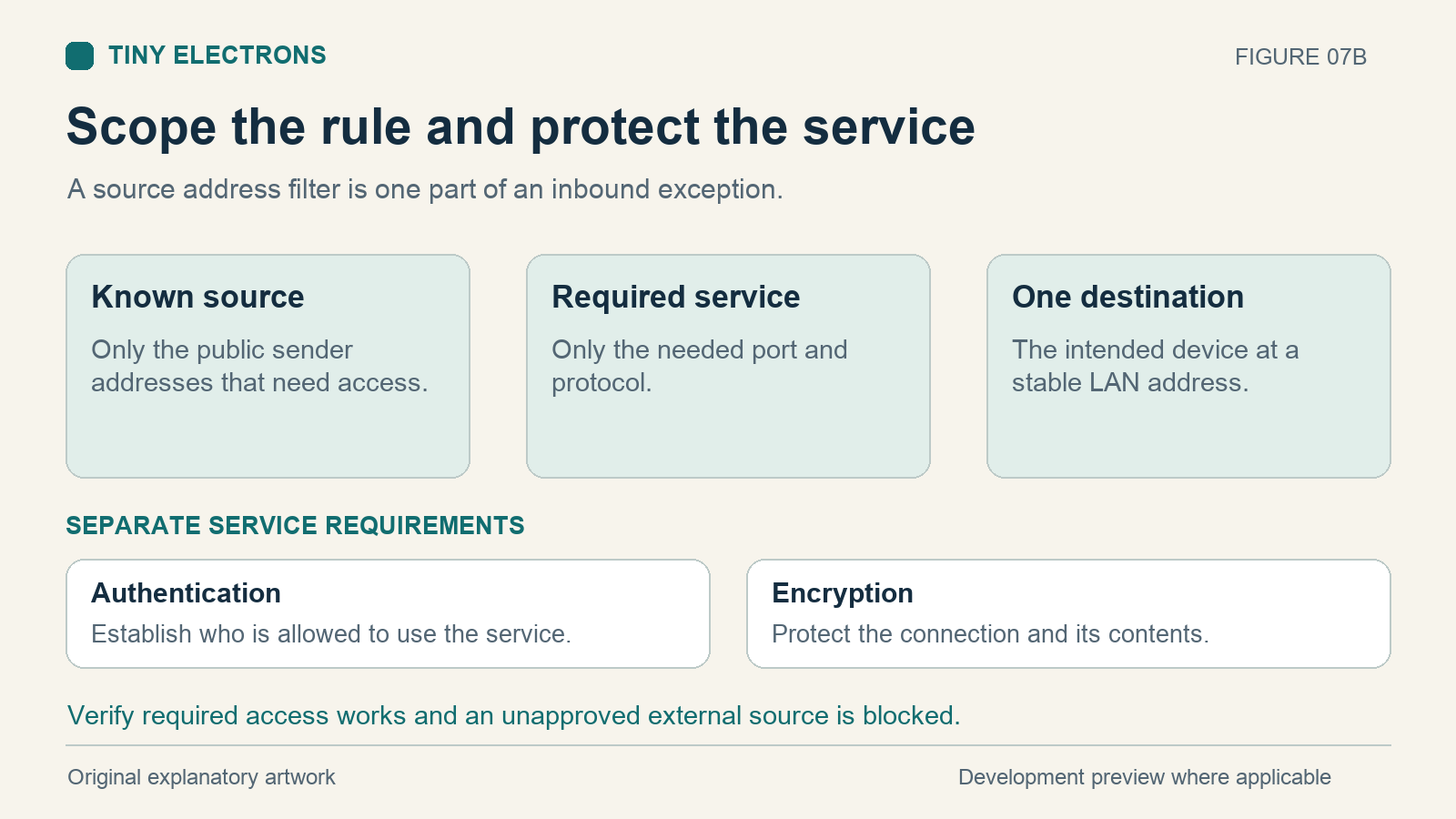
| Setting | Scope to establish |
|---|---|
| Destination | One intended device, with a stable LAN address |
| Port and protocol | The required service and protocol, without unnecessary ranges |
| Source address | Only known public addresses that actually need access |
| Service protection | Supported authentication, encryption and current software |
| Verification | Required access succeeds and an unapproved external source is blocked |
Changing the external port number can avoid a conflict, but it does not authenticate anyone. Country filters and traffic inspection may be additional controls; neither is a substitute for restricting access to the intended sender. If the device cannot safely accept remote access, use another connection method.
Why source addresses need maintenance
An allowlist works only while it matches the real sender. A changing home or mobile connection can stop matching, and a cloud service may use more than one public address. Dynamic DNS for your home address solves a different problem: it helps callers find your home; it does not establish which callers should be trusted.
Do not guess an Eddy server address or allow an entire cloud provider range. No official Eddy source IP list is supplied here. An inbound exception needs an authoritative address list and a maintenance process. The outbound agent removes that requirement from the home setup.
Check IPv6 separately
Removing an IPv4 port forward does not prove the device is unreachable over IPv6. IPv6 usually avoids traditional port translation, so inbound firewall policy matters even when the forwarding list is empty. Review rules for both address families and allow only needed traffic. Netgate IPv6 guidance and firewall rule documentation explain this distinction. Keep local IPv6 available when required for Matter.
Remove rules you no longer need
Review old manual forwards and automatically created mappings when migrating. UPnP can create forwarding and firewall rules on behalf of local applications. Disable it when it is unnecessary, after checking whether other applications depend on it. Ubiquiti recommends keeping UPnP disabled unless required. UniFi UPnP guidance.
For personal remote administration, a maintained VPN can provide an authenticated, encrypted route into the network. Its configuration and access scope still matter. It does not automatically make an existing Eddy cloud service join that VPN.
Start with the Eddy Bridge V2 agent overview, then validate the migration:
- Test one observable command through the agent while watching the device.
- Remove the obsolete manual forward and related automatic mappings.
- From an external network you control, verify the old device-control endpoint is inaccessible over each configured address family.
- Repeat the agent command to confirm the intended control path still works.
Test the specific service; a failed ping alone does not establish that its control port is closed.