Controllers devices buttons and activities in Eddy
In Eddy, a controller provides a control path, a device is the equipment you want to use, a button represents one command, and an activity combines commands to produce a useful result. A TV connected through a network IR controller is a simple example: the controller sends the signal, the TV receives it, and a button names the action.
Generation note. These concepts come from the original Eddy interface. Exact menus, controller integrations and Alexa scene behavior depend on the release you use. V2 development work adds new connection options; it does not establish that every older feature is available in a public V2 release.
What is a controller
A controller is the route Eddy uses to send commands. An IR controller can control several pieces of equipment. A device with its own network-control interface, such as a supported streaming player, may fill both the controller and device roles.
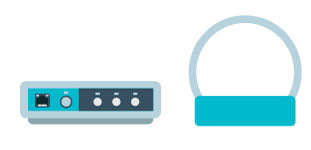
Choose the controller for the command path you need. Adding more controllers is useful when equipment needs a different connection or lives outside an emitter’s range; it is not a requirement for every room.
What is a device
A device is the TV, set-top box, receiver or other equipment you want to control. Keep its identity separate from the controller port or network address used to reach it. Several devices can share an IR controller, while each still needs the appropriate command codes.



What is a button
A button is a named command such as Play, Pause or Select HDMI 2. Depending on the supported control method, that command may use IR, a network request, HDMI-CEC, an authorized Android helper or Wake on LAN. The availability of a button name does not prove the device accepts its command.


Test each button separately and watch the equipment. Give commands names that state their effect. When supported, explicit ON and standby commands are more predictable in an activity than a power toggle that reverses the current state.
What is an activity
An activity is an ordered set of commands for a task, such as watching a streaming player through a receiver. It can use several controllers or devices. The commands and their timing must match the equipment you have.

Here is a planning example, assuming every individual command already works:
- Send explicit TV ON.
- Send explicit receiver ON.
- Wait for the receiver’s measured startup time.
- Select the streaming-player input on the receiver.
- Select the TV’s required input if the HDMI chain has not selected it already.
- Check the picture and sound before adding another step.
Startup waits and app-launch commands depend on your equipment. Measure the wait and verify any app-launch command before including it.
An activity can fail after earlier steps have already changed the room. Eddy does not automatically undo those physical effects. If a response is uncertain, check the devices before sending the whole activity again.
How legacy activity variants differ
The original interface also offered custom activities, scene activities and custom scene activities. Custom activity names let you describe your own on/off task. Scene variants affected how an activity was presented through the Eddy Smart Home skill, and custom scene variants added naming and icon choices.
Treat those descriptions as legacy interface behavior. Whether a particular scene, playback command or contextual room action is available must be checked in the installed release and connected Alexa experience. A scene name alone does not create Play or Pause support for an unsupported device.
Build one useful result
Start with one controller and one device. Confirm one button’s physical result, add a second verified command, and then combine them into a short activity. Test the activity while the TV is off, while it is already on, and after someone changes the input with the original remote.
The legacy Eddy guide links the original setup material. Check the generation of each guide before following it. Use the current release’s verified controller and pairing instructions when adopting the new agent.